
SeeGen AI: Seedance 2.0 & 2.5
Fillog StudioArt & Design
4.041.00 Reviews
- Version
- 1.1.6
- Installs
- 50.00K
- Age Rating
- Everyone
Screenshots
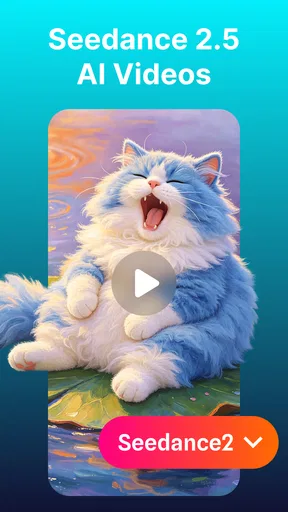
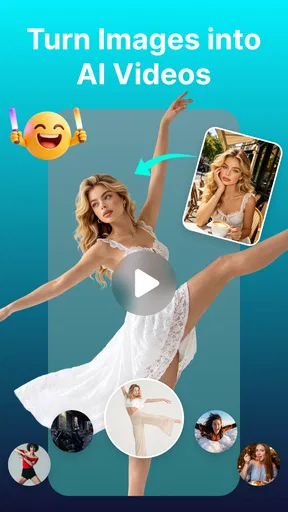
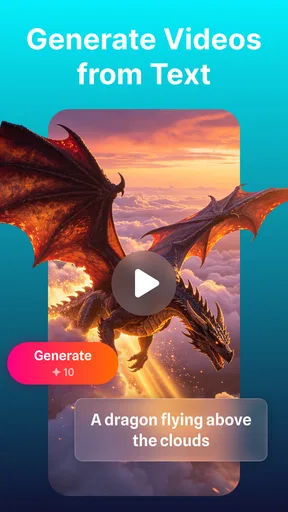
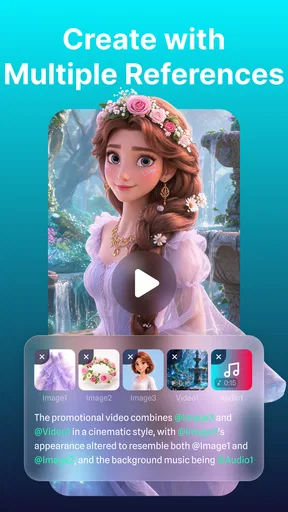
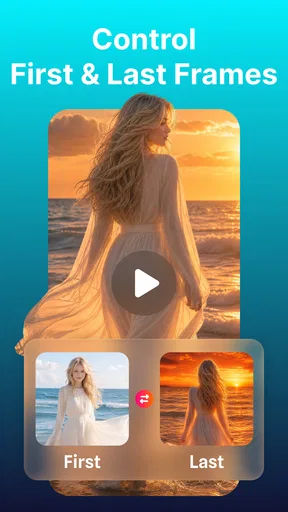
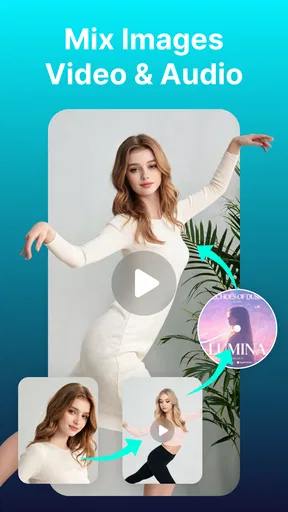
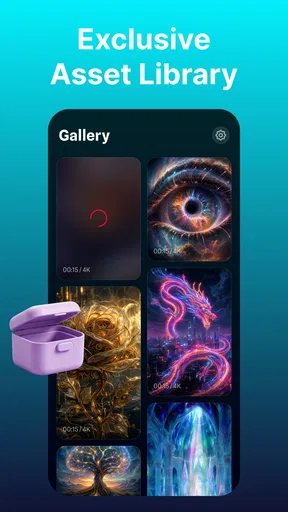

Our Review of SeeGen AI: Seedance 2.0 & 2.5
 Analysis by Appyee
SeeGen AI is the kind of art and design app that attracts attention quickly because it focuses on AI video workflows connected with the Seedance 2.0 and Seedance 2.5 models. I approached it less like a casual entertainment app and more like a practical tool for turning an idea into a short visual result. That distinction matters: it can be useful when you already know what you want to create, but it is not automatically the easiest choice for somebody expecting a traditional video editor with familiar timelines, trimming tools, and manual control.
Developed by Fillog Studio, the app is available for free and is rated for Everyone. The current release is version 1.1.6, and it runs on Android 7.0 or later. Its store presence is still relatively modest, with over fifty thousand installs, while its average score sits at four out of five from more than six hundred ratings and dozens of written reviews. Those figures suggest a tool that has found an interested audience, although not one I would treat as universally polished or effortless.
Getting past the first points of friction
The first challenge with SeeGen AI: Seedance 2.0 & 2.5 is understanding what kind of experience it offers. The app is built around familiar AI video workflows for users of those Seedance models. In practice, that means the quality of the result depends on more than pressing a generate button. Your wording, source material, selected model, and the way you react to an imperfect result all influence whether the process feels productive or frustrating.
I found it helpful to begin with a very small creative goal rather than a complicated scene. A simple subject, a clear action, and a defined visual mood make it easier to see whether the workflow is behaving as expected. Starting with several characters, rapid camera movement, detailed text, and a long sequence creates too many possible failure points at once. If the first output is weak, you will not know whether the problem came from the prompt, the reference image, the model choice, or the request itself.
Another common sticking point is expecting the app to behave like a conventional design package. Traditional art apps usually expose brushes, layers, opacity controls, and direct editing. A normal video editor gives you a timeline and lets you correct a clip frame by frame. SeeGen AI takes a different route: you describe or guide the intended result, then judge the generated material. That is faster for exploration, but it also means you surrender some precision.
The most useful mindset is to treat each generation as a draft, not as a final export. I would keep the first request deliberately conservative, inspect what went wrong, and then change one important detail at a time. Changing every part of a prompt between attempts makes comparison difficult and can turn a manageable workflow into guesswork.
What I would check before creating anything
Before blaming the app, I would make sure the device meets the basic Android requirement and that the application has been updated to its current version. Older operating systems can create compatibility problems that look like generation failures, blank screens, or unstable behavior. Updating is not a guarantee of a perfect session, but it removes one avoidable variable.
I would also prepare the source material carefully. If I were making a short social clip from a product photo, for example, I would use a clean image with the subject clearly separated from the background. A cluttered photograph gives an AI video workflow more visual decisions to interpret. When the subject is already easy to recognize, I can judge the motion and style more fairly instead of wondering whether the input itself caused the strange result.
A practical setup check is to write the intended scene in plain language before opening the app. I might note the subject, the movement, the setting, the camera feeling, and the desired atmosphere. This prevents the familiar problem of improvising a long paragraph inside a small input field and then forgetting what I actually asked for. It also makes it easier to reuse the strongest wording in a later attempt.
Model selection deserves attention as well. Since the app is aimed at Seedance 2.0 and Seedance 2.5 workflows, I would not assume that both options will produce identical interpretations of the same request. If one model gives an appealing composition but weak motion, while the other handles movement better but changes the subject, that is not necessarily a fault in the phone or the app. It is a reason to compare outputs with a consistent prompt and choose the result that matches the job.
There is also a practical cost question. The app itself is free, but in-app purchases range from $2.99 to $199.99 per item. I would therefore avoid spending immediately while still learning the workflow. First, I would confirm that the app fits my style of creating, that the results are useful on my device, and that I understand which action may consume a paid allowance. The wide purchase range makes it especially important to read each purchase screen rather than assuming every generation is covered in the same way.
A realistic everyday workflow
Imagine I want a short visual for a small online shop. I have a photograph of a ceramic mug and want a gentle clip showing it on a bright kitchen table with a slow, calm presentation. I would begin with the mug as the main subject, describe the setting without adding unnecessary decoration, and request restrained movement. The point would not be to create a dramatic commercial immediately. It would be to see whether the mug remains recognizable while the scene gains motion.
If the first result changes the shape of the handle, I would not rewrite the entire request. I would make the subject constraint clearer and remove decorative details that compete with the mug. If the camera movement is too energetic, I would simplify the action rather than adding several negative instructions. This kind of controlled revision is one of the more important skills when using an AI video tool, and SeeGen AI rewards patience more than random experimentation.
For a personal project, the same method works with a travel photograph, a sketch, or a simple character concept. The app makes more sense when I have a visual idea that benefits from motion but do not want to animate every detail manually. It is less convincing when I need exact brand lettering, precise product geometry, or repeatable character continuity across many scenes.
Recovering when a generation goes wrong
When an output fails, I would first identify the type of failure instead of calling it simply “bad.” There is a difference between a subject changing identity, motion becoming unnatural, the composition drifting away from the request, and the workflow failing before a result appears. Each problem calls for a different response.
- If the subject changes, simplify the scene and describe the central object more directly.
- If the movement is chaotic, request one primary action instead of several simultaneous actions.
- If the framing is wrong, state the camera position or visual emphasis in ordinary language.
- If the result is stylistically attractive but unusable, preserve the style wording while replacing the scene details.
I would save the wording from a promising attempt before making another change. That creates a basic version history, even if the app does not present one in the way a desktop editor might. It also helps separate a genuinely better prompt from a lucky result. Keeping a short note of what changed is particularly useful when comparing the two Seedance workflows.
If the app appears stuck, I would avoid repeatedly tapping the same control. I would wait briefly, check whether the interface has actually changed, and then restart the workflow in a calm, orderly way. General troubleshooting such as closing and reopening the app, checking the connection, and confirming available device space is sensible, but I would not assume every delay is an application defect. AI generation can involve processing outside the phone, so a slow response may be related to service load or connectivity rather than the local interface.
When a result fails after a major prompt, I would retry with a shorter request and a simpler input. This is not merely a technical workaround. It is a diagnostic test. If a basic scene works but an elaborate one does not, the limitation may be the complexity of the request rather than a broken installation. That insight can save time and prevent unnecessary purchases.
Knowing when SeeGen AI is not the cause
AI video apps are easy to blame because their output is interpretive. A strange hand, a changed object, or an unexpected camera move feels like an error, but it may be the model making a poor compromise between competing instructions. If I ask for a person to run, wave, turn toward the camera, hold a detailed object, and remain perfectly consistent, I am creating a difficult request even if the sentence sounds clear to me.
Input quality is another outside factor. A low-contrast image, a partially hidden subject, or a photograph with several similar objects can make the generated motion less reliable. I would test with a clearer reference before concluding that SeeGen AI is unsuitable. The same applies to network behavior: a failed generation, an incomplete preview, or a session that does not respond may be influenced by connection stability.
Device limitations can matter too. Even when an Android phone meets the minimum operating-system requirement, performance, free storage, background activity, and thermal conditions can affect how comfortable the session feels. I would close demanding apps, keep enough space for temporary media, and avoid judging the whole product during a single unstable session.
It is also worth separating creative dissatisfaction from technical failure. If the video renders but does not match my idea, the workflow has completed even though the creative result is disappointing. In that situation, changing the prompt structure or the source image is more useful than reinstalling the app. Reinstallation is a last resort for repeated crashes or corrupted behavior, not a solution for every weak generation.
How it compares with familiar creative tools
Compared with a standard mobile video editor, SeeGen AI is more interesting for idea generation and less suitable for exact assembly. A timeline editor gives me predictable cuts, manual transitions, text placement, and direct control over a finished sequence. I would choose that kind of app for a polished tutorial, a carefully timed announcement, or any project where every frame must follow a plan.
Compared with a drawing application, SeeGen AI is not the place I would go for detailed hand-made illustration. A drawing app is better when I want to control line quality, layers, color, and individual corrections. SeeGen AI becomes more appealing when the goal is to animate an idea quickly or explore a visual direction that would take much longer to build manually.
Its strongest position is between those categories. It can help a designer make an early concept feel alive, give a creator a starting point for a short clip, or turn a simple visual prompt into something worth discussing. Its weakness is the same feature that makes it attractive: generated results are not fully predictable. I can guide the outcome, but I should not expect the same level of repeatability offered by conventional editing tools.
I would also be cautious about using it for professional work that depends on exact continuity, legally precise text, or consistent product details. For those tasks, I would use SeeGen AI for ideation and then move the material into a more controlled editor. That two-stage workflow is more realistic than expecting one AI app to replace the entire creative process.
Who will get the most from it
I think the app is best for curious creators, visual hobbyists, social content makers, and designers who want to test motion ideas without starting with a complex manual animation workflow. It can also be useful for someone who already understands prompt-based creation and wants a mobile route into Seedance 2.0 and 2.5 workflows.
It is less appropriate for a user who wants a completely guided first experience with no experimentation. It may also disappoint people who need reliable character identity, exact logos, perfect typography, or frame-level editing. If my priority is predictable assembly rather than visual exploration, a conventional editor would be the better first download.
The Everyone age rating makes the app broadly approachable, but that does not mean every result will be equally suitable for every audience or project. I would still review generated clips before sharing them, especially when the output involves recognizable people, products, or public-facing content. Human checking remains important because an AI-generated scene can look plausible while quietly changing details.
My practical verdict after using the workflow
SeeGen AI is a promising specialist tool rather than a universal video solution. I like the way it lowers the barrier to experimenting with Seedance-based video creation, and I appreciate that a free starting point lets me explore before committing money. The connection to Seedance 2.0 and 2.5 gives the app a clear purpose instead of making it another vague all-in-one art application.
Still, the experience asks users to do some of the thinking themselves. Clear prompts, simple reference material, careful comparison between attempts, and realistic expectations make a noticeable difference. The purchase options, which can reach $199.99 per item, also mean I would approach advanced use thoughtfully rather than clicking through without understanding the cost.
My recommendation is straightforward: try it if you want AI-assisted motion and are comfortable treating the first results as experiments. Use a conventional video editor afterward when timing and precision matter. Skip it if you want manual drawing controls, a traditional timeline, or dependable consistency from one generation to the next.
For me, the app is most valuable as a bridge between an idea and a visual draft. It does not remove the need for creative judgment, but it can make the first animated version much easier to reach. That makes it worth exploring for the right user, provided you begin with small tests, troubleshoot methodically, and judge the workflow by the quality of the ideas it helps you develop rather than by expecting it to finish every project alone.
Verdict
Strengths of SeeGen AI: Seedance 2.0 & 2.5
- Creates polished AI videos from simple text or image prompts.
- Supports multiple creative styles for varied visual results.
- Useful for quickly producing social media content and concepts.
- Intuitive workflow makes experimentation accessible to beginners.
- Can reduce the time needed for basic video production.
Limitations of SeeGen AI: Seedance 2.0 & 2.5
- Output quality can vary noticeably between different prompts.
- Advanced generations may require a subscription or paid credits.
- Results may include visual glitches or inconsistent details.
- AI processing can be slow when servers are busy.
- Privacy terms should be reviewed before uploading personal images.
Other Releases by Fillog Studio
View All
YearCam: AI Video Generator
Art & Design4.2
Similar Picks in This Category
View All
Canva: AI Photo & Video Editor
Canva4.8

PENUP – Drawing-sharing SNS
Samsung Electronics Co., Ltd.4.5

Crafto
Kutumb App4.6

Sketchbook
Sketchbook4.1

ibis Paint X
ibis inc.4.5

Adobe Express: AI Photo, Video
Adobe4.6
Frequently Asked Questions
What is SeeGen AI: Seedance 2.0 & 2.5 used for?
SeeGen AI: Seedance 2.0 & 2.5 is designed for creating AI-generated videos from text prompts, images, or other creative instructions. It can help users produce short visual clips, animated scenes, social media content, concept videos, and experimental storytelling without needing advanced editing skills. Results depend heavily on the prompt, source material, selected model, and the app’s available generation settings.
Does SeeGen AI: Seedance 2.0 & 2.5 create videos completely automatically?
The app automates much of the video-generation process, but it does not guarantee a perfect result with every request. Users normally need to describe the scene clearly, choose an appropriate style or model, and review the generated clip afterward. Characters, movement, text, hands, faces, and object consistency may occasionally look inaccurate, so additional attempts or editing can be necessary.
Is SeeGen AI: Seedance 2.0 & 2.5 free to download and use?
The application may be available to download without an upfront charge, but AI video generation commonly includes usage limits, credits, premium plans, advertisements, or in-app purchases. The exact offer can vary by platform, region, and account type. Before generating multiple videos, check the current pricing page, subscription terms, credit system, and whether unused credits expire.
What permissions and account information does SeeGen AI: Seedance 2.0 & 2.5 require?
Depending on the features you use, SeeGen AI: Seedance 2.0 & 2.5 may request access to photos, videos, files, the camera, or notifications. An account or sign-in may also be required for cloud-based generation and saving projects. It is sensible to review the app’s privacy policy and grant only permissions that match the feature you intend to use, especially when uploading personal images.
Can videos made with SeeGen AI: Seedance 2.0 & 2.5 be used commercially?
Commercial use depends on the app’s current license, subscription level, model terms, and the content included in your prompt or uploaded files. AI-generated output may still involve restrictions related to copyrighted characters, trademarks, music, recognizable people, or third-party images. If you plan to use a video for advertising, client work, or monetized content, read the official usage terms carefully and obtain permission for any protected material.
